Keep in the know
Get new contortion space articles and knowledge right to your email
Oops! Something went wrong while submitting the form

Copyright © 2025 Contortion Space. All rights reserved.
Flexibility is built in small, incremental steps. My Contortion Space brings your plan, your sessions, your notes and your goals into one place, so every step counts and you can see them add up week by week.
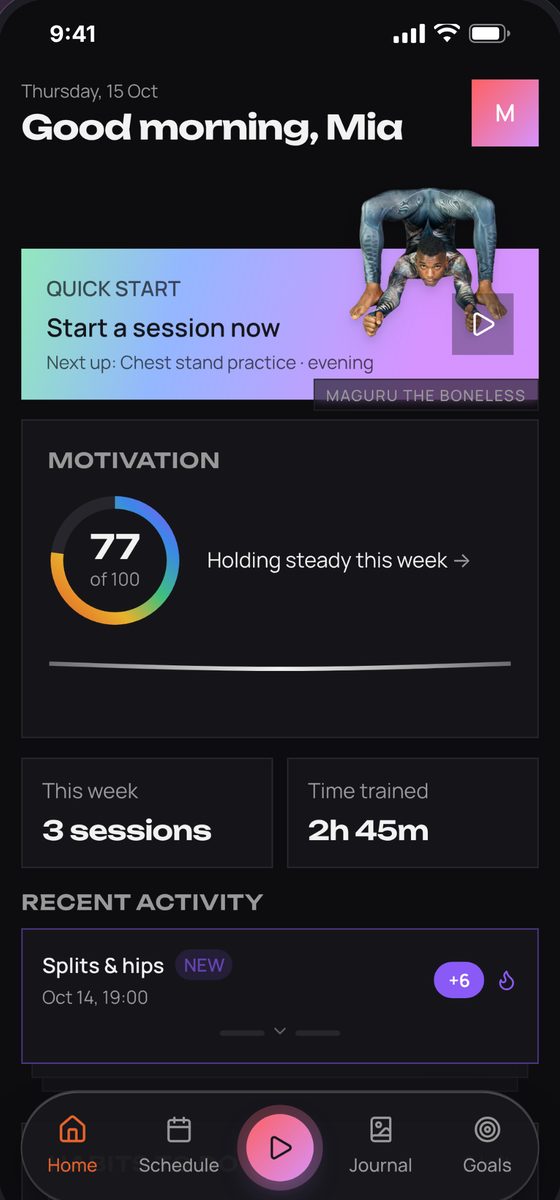
From our survey of contortionists and flexibility athletes, here are the things that stall training, and what the app does about each one.
Staying consistent is the biggest frustration. Work, travel, injury and motivation all get in the way.
A planned week, a reminder before each session, and a motivation meter that shows when you are slipping.
track their progress, but most aren’t sure how. Photos, videos and notes end up scattered.
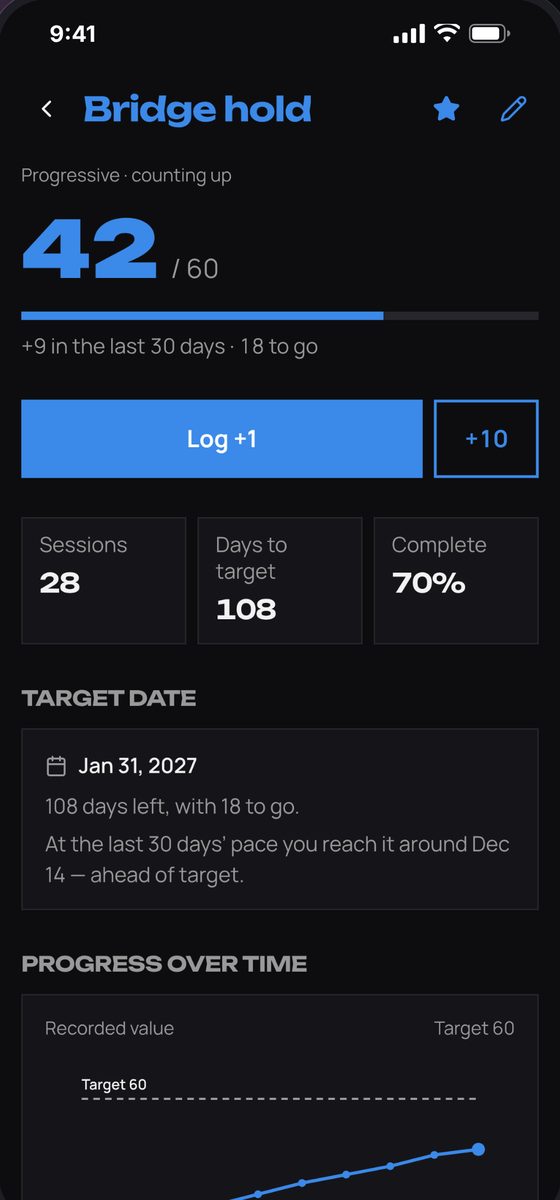
Goals with progress charts and target dates, plus a private photo and video journal in one place.
struggle to get guidance or reach a coach.
Follow programmes a coach sets, or plan a structured week yourself, with or without AI.
Months can pass where nothing seems to change.
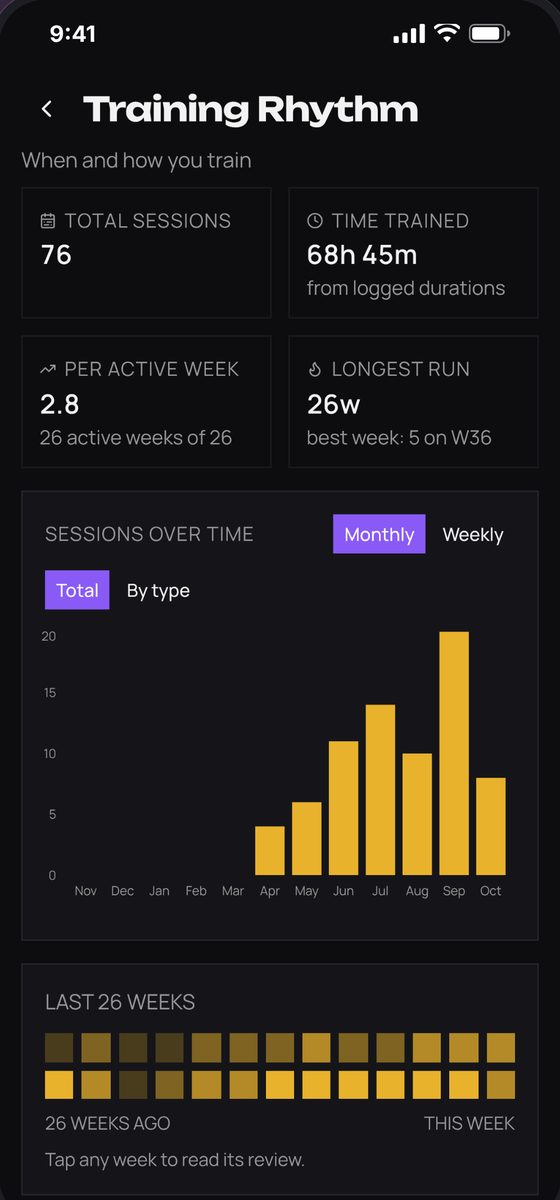
Session notes and a 26-week rhythm view make incremental progress visible, even when it’s hard to feel.
Pushing too far has a real cost in this discipline.
Log an injury, check in on it, and keep it in view as you plan and train.
have training friends, yet only 28% are part of an online community.
Connect with friends as training partners (18+ only) and cheer each other on, sharing only what you choose.
Lay out morning, afternoon and evening sessions on one simple grid, so every day has a shape before it starts.
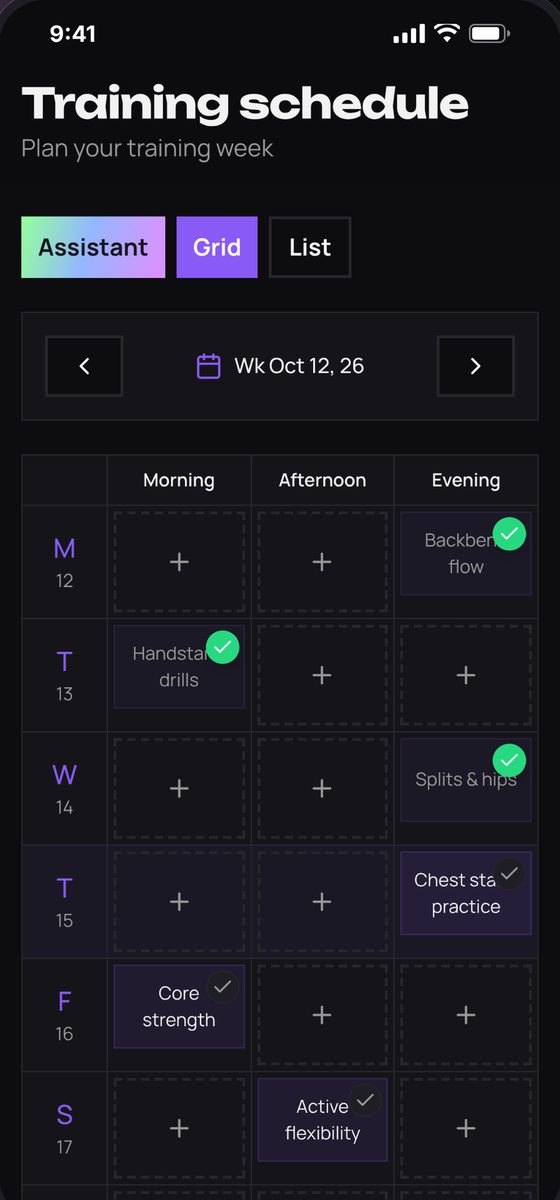
Drag sessions onto the grid yourself, or, with AI switched on, write the week you want in your own words and get a draft linked to your goals.
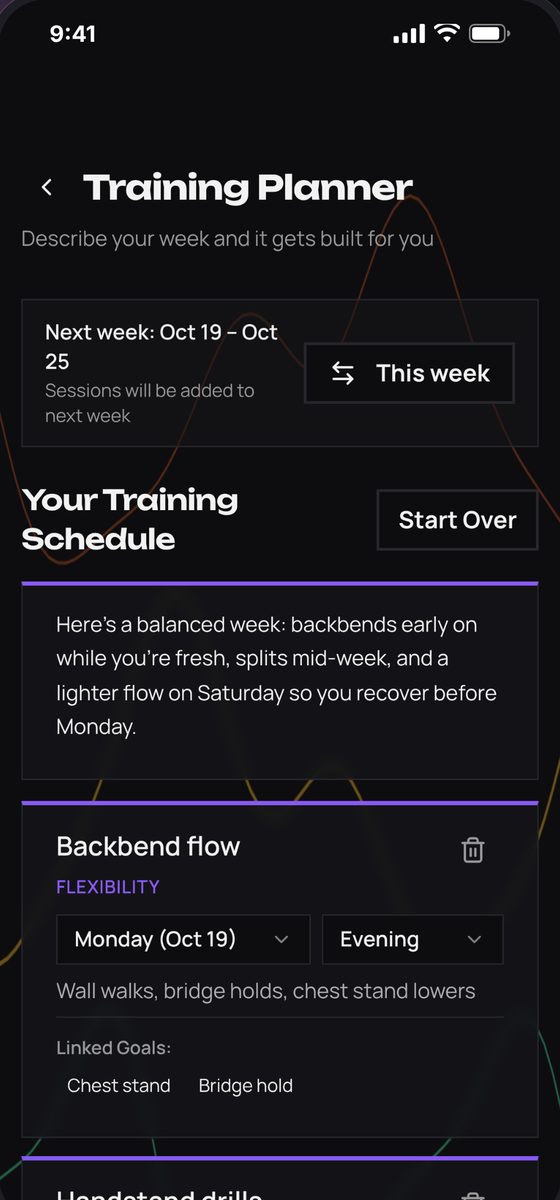
Training mode keeps your timer, workout and notes on one screen, so you can stay in the session.
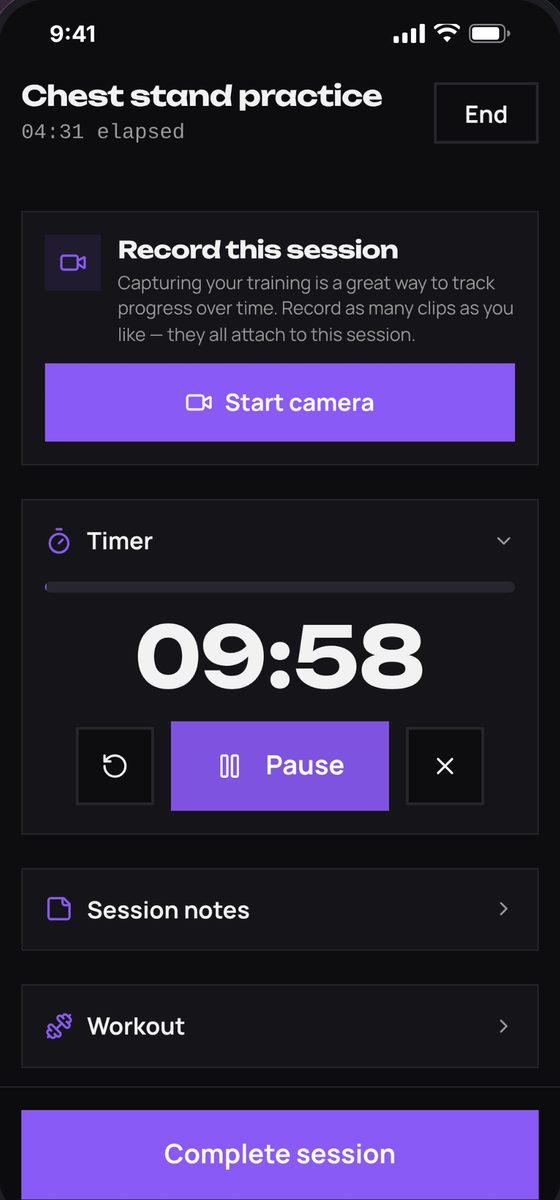
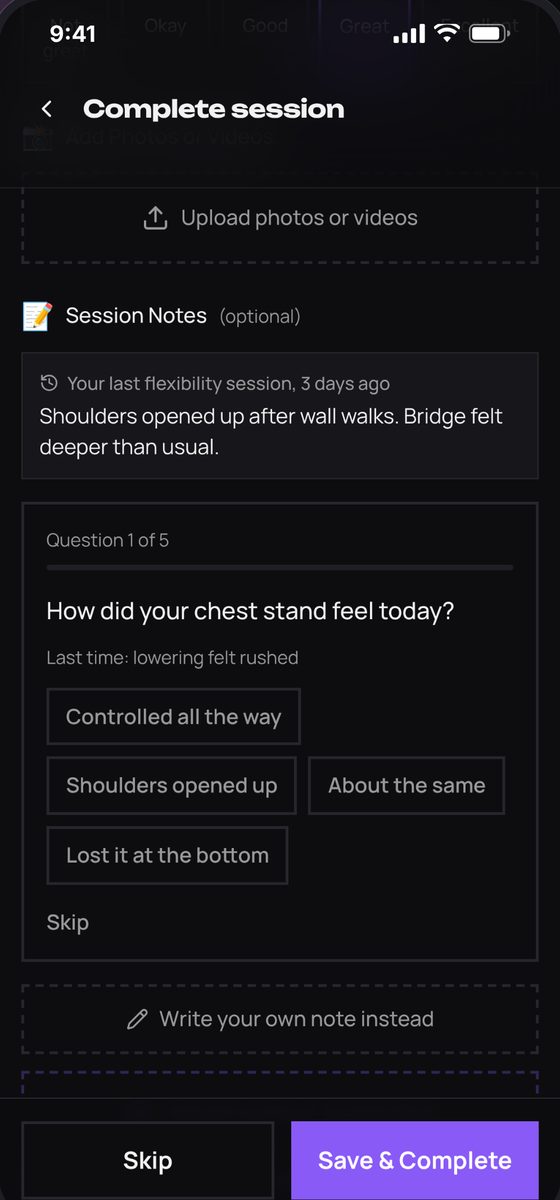
Answer a few quick questions after each session and your note is done. Keep track of what changed, however small.
Progressive goals for range and holds, habit goals for consistency, trick goals with photo milestones.
A motivation meter that rises as you train and dips when you go quiet, plus a long view of how you really train.
AI in My Contortion Space is a helper, never a requirement. One switch in Settings turns it off completely. Planning, training, notes, goals, your journal and your rhythm all keep working exactly as before, with no features locked away.
Describe your week in your own words and get a draft plan.
Note questions and summaries tailored to the session you just did.
Ask the help assistant how something works.
Build your week by hand on the weekly grid. Every planning tool still works.
Quick tap-to-answer notes after every session, written by you.
Browse the in-app help guides.
Everything else, including training mode, goals, journal, rhythm, injury check-ins, partners and coach programmes, works the same either way.
Photos of your lines, injury notes and how a session felt are personal. Here's how we treat them.
Download a ZIP of all your data whenever you like, with your photos and videos included if you want them.
Close your account from Settings in a few taps. Your profile, training, notes, photos and videos are then permanently deleted.
Your journal is private by default, stored encrypted, and only ever shown through short-lived secure links. Partners see it only if you choose to share.
Don't want to share sensitive data? Opt out at any time and keep using the app.
Read our privacy policy or how to delete your data.
Structure without a coach. A planned week, a timer, and a record that shows you what is actually changing.
Keep tricks and holds sharp between contracts, film your lines, and track trick goals with photo milestones.
Set programmes and exercises for your students and see how their sessions felt, not just whether they happened.
My Contortion Space is almost here. Plan your first week in a few minutes, and let every session add to the picture.
iPhone and Android, in English, German, Spanish, French and Portuguese.
No. It works on its own, and if you do have a coach they can set programmes and exercises for you in the app.
Yes, fully. Switch AI off in Settings and every part of the app keeps working. You can switch it back on whenever you like.
Yes. Export a ZIP of all your data at any time, and delete your account from Settings whenever you want.
Only you, unless you choose to share them. Training partners are 18+ only.
Get new contortion space articles and knowledge right to your email
Oops! Something went wrong while submitting the form